Immersive User Experience (UX) and Augmented Reality (AR)
Designing an AR Experience
Augmented reality (AR) is a technology used to enhance the real world. It uses digitally generated content (Image, sound, text) and overlays them onto real-life scenes in order to achieve a specific goal. This can help the user feel more immersed and understand the content to a higher degree whether it’s being used in retail, tourism, entertainment etc.
There are 3 components that make up AR: hardware, software and applications. The hardware refers to the element that gives your device the ability to make sense of the environment, whether that may be the processor, GPU or other sensors. The software uses motion tracking to detect its position relevant to where it is and uses light estimation so your phone understands the lighting condition and can adjust based off of it. Lastly applications, there are 2 ways AR can be triggered; marker-based tracking (uses QR codes to prompt the AR) and marker-less tracking (triggered when it recognises certain real-life features).
AR Considerations
A big factor that needs to be considered before designing anything using AR is how the technology will benefit the user experience. Will it actually improve the customers interaction or will it just end up looking gimmicky and just created it for the sake of it. An example of an AR project not succeeding in the commercial landscape were the Daqri AR headsets released in 2014 that were designed to help courting business customers and less people on the basic consumer level. However after Daqri promising too high a standard and not being able to maintain as well as the $15,000 price point the product wasn’t able to capture the markets attention.
“the company had faced difficulty actually selling the glasses — in part because of “difficulties in training workers to use the futuristic hardware.” (Robertson, 2019)
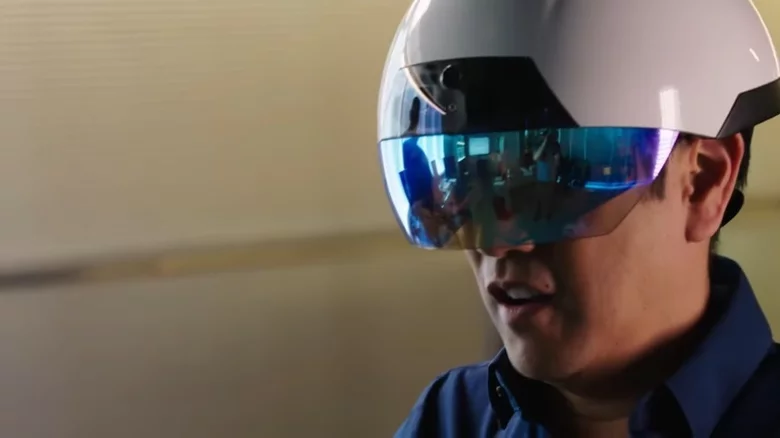
Another consideration is understanding what device your target audience is used to, will they be able to navigate the layout or will it be too complicated that they end up giving up before ever trying the product. Understanding this will help in the creation process and knowing what platforms to base the AR on. From this we can decide whether it’s going to be a marker-less or marker-based AR application as they both may have differing target audiences. A marker-based application that uses a trigger image may be more easy to understand and learn from the older generations point of view as it requires a simple scan of an already preset image, whereas using marker less AR may require more understanding of where exactly to scan your device in order for the content to be generated.
When using AR it’s also important to recognise the environment that it’ll be a part of in order to keep the immersion levels high. This means that occlusion levels must be kept high to give the user the sense that the artificial content is really in the same environment as them and they’re not just phasing through walls. However if the AR was designed to be used outside then occlusion rendering would be less of a stress and make the overall project easier.
AR using Unity and ZapWorks
For this exercise we were to use pre-made 3D models and packages to create a marker-based AR experience using Unity and Zapworks that would respond to the users environment. Unity is a platform used to create and operate 3D and 2D games as well as interactive simulations such as AR. By learning how to use Unity to create augmented reality experiences I will be able to implement it into any immersive project I plan to do.
I began with following the tutorial and setting up the Unity file so that it would work with the trigger image and 3D model I was gave. This proved some struggle as each setting needed to be completely accurate in order for the AR process to work and not give up an error message.
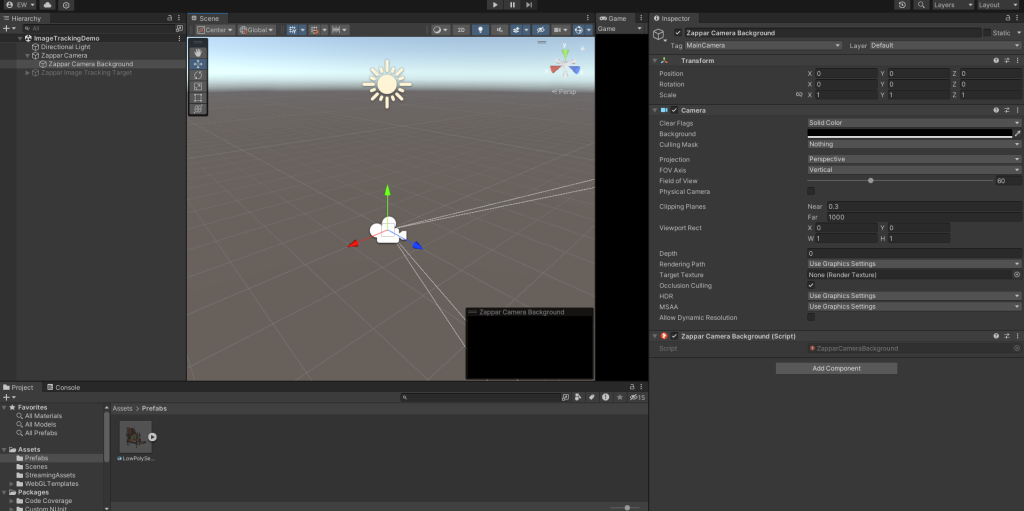
Screenshot of zapper camera tracker inspector that I utilised to import the trigger image.
Once the trigger image and model had been imported it was more simple to use and see how it’d be displayed when the function was tested. You could easily move around the model and change the scale in order to suit how you wanted it. The image on the right shows the inspector where you were able to import the photos necessary in order to train them.
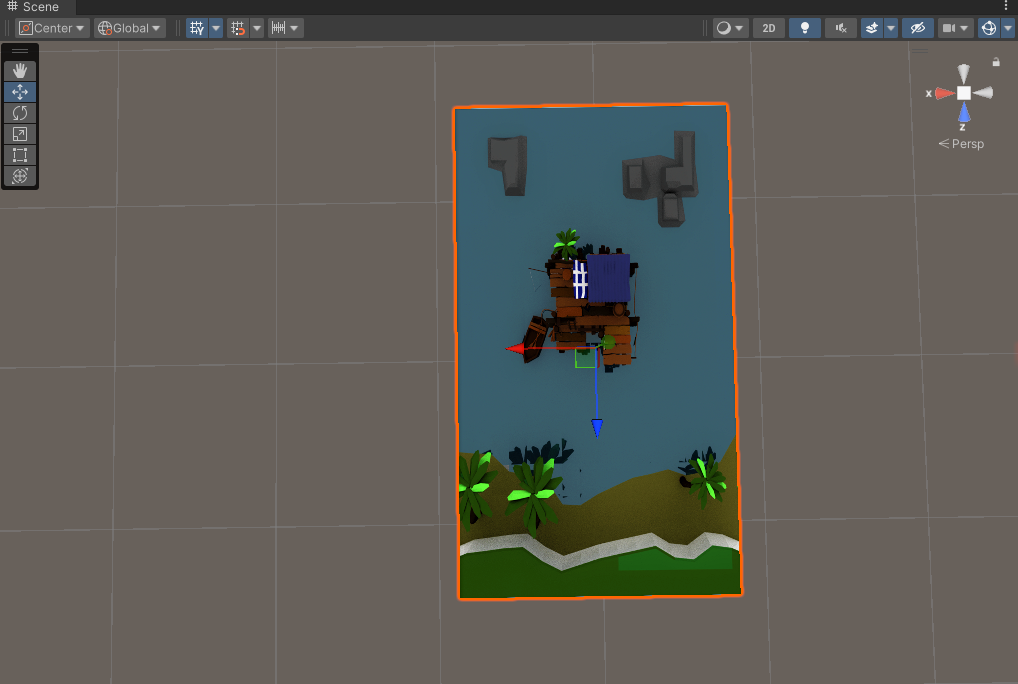
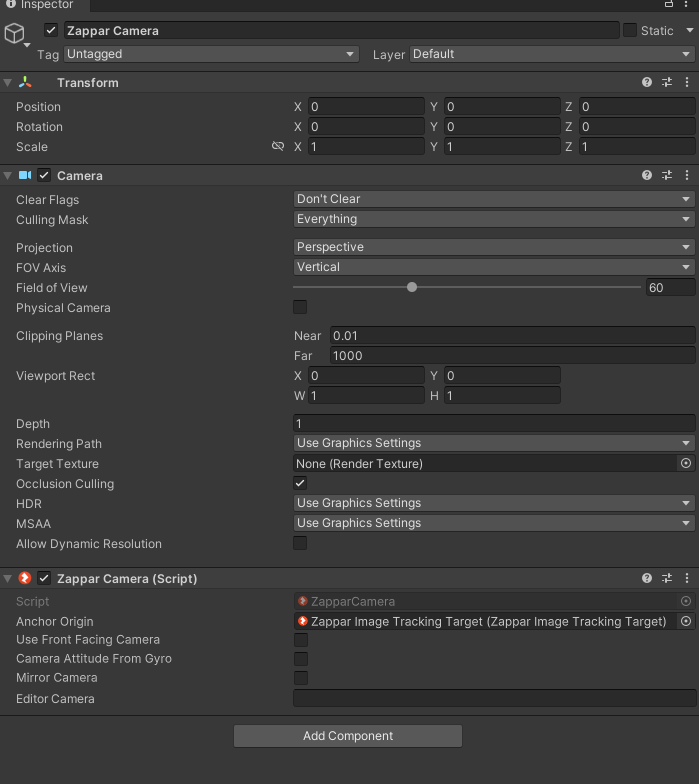
Once I had built and run the Unity file I was then ready to create a ZapWorks account and upload the zip file directly to the browser. This was easy to accomplish and lays it out in a way where you can access all past immersive web content easily and effectively.
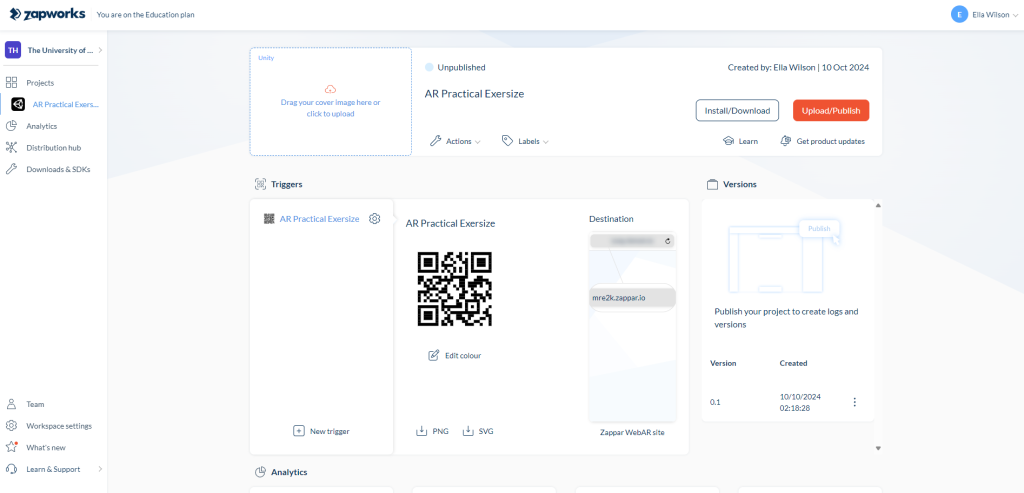
Zapworks screenshot where I uploaded the finalised zip file onto the QR code.
Final Version
Tutorial:
After trial and error with setting up the zip file correctly I finally managed to get ZapWorks camera to load in order to scan the trigger image. Once you’ve scanned the ZapWorks QR code it’ll take you to their camera function where the zip file lays and holds all the important information I had already set up on Unity. There you can easily place the trigger image within your phones camera frame and the 3D model will come to life as how it appeared on the Unity scene.
My Own:
After finishing the tutorial I created my own AR trigger image using a 3D model sourced from SketchFab. I now feel more confident implementing this technique into my own project, however I will need to do more in-depth research into AR in order for it to work within a virtual 3D art space as I intend to create for my emerging tech project.
References:
- Hayes, A. (2024) Augmented Reality (AR): Definition, Examples, and Uses. [Webpage] Available at: https://www.investopedia.com/terms/a/augmented-reality.asp. [Accessed 26/10/24]
- Chen, R. (2019) YOUR 3-MINUTE GUIDE TO AUGMENTED REALITY (AR): HOW DOES IT WORK?. [Webpage] Available at: https://www.constructdigital.com/insights/how-does-augmented-reality-ar-work#:~:text=AR%20requires%20high%20performance%20GPUs,To%20measure%20depth%20and%20distance [Accessed 26/10/24]
- Ward, C. (2022) THE BIGGEST VR AND AR FLOPS OF ALL TIME. [Webpage] Available at: https://www.slashgear.com/1012807/the-biggest-vr-and-ar-flops-of-all-time/ [Accessed 26/10/24]
- Roberston, A. (2019) Augmented reality headset company Daqri is reportedly shutting down. [Quote] Available at: https://www.theverge.com/2019/9/13/20864556/daqri-ar-headset-smart-glasses-startup-shutdown-asset-sale-layoffs [Accessed 26/10/24]
- Kumar, P. (2018) Occlusion is important in AR. [Webpage] Available at: https://medium.com/selerio/occlusion-is-important-in-ar-9a672ff9ca2d [Accessed 26/10/24]
- Airfares. (2019) Real Estate 3D Augmented Reality Business Card | Aircards AR. [Video] Available at: https://www.youtube.com/watch?v=9w6_QBNuNuA [Accessed 26/10/24]
- Google. (2020) Travel back in time with AR dinosaurs in Search. [Video] Available at: https://www.youtube.com/watch?v=UVT3l7dpTRs [Accessed 26/10/24]